Remote Work in Vans: What You Need to Make It Work Long-Term
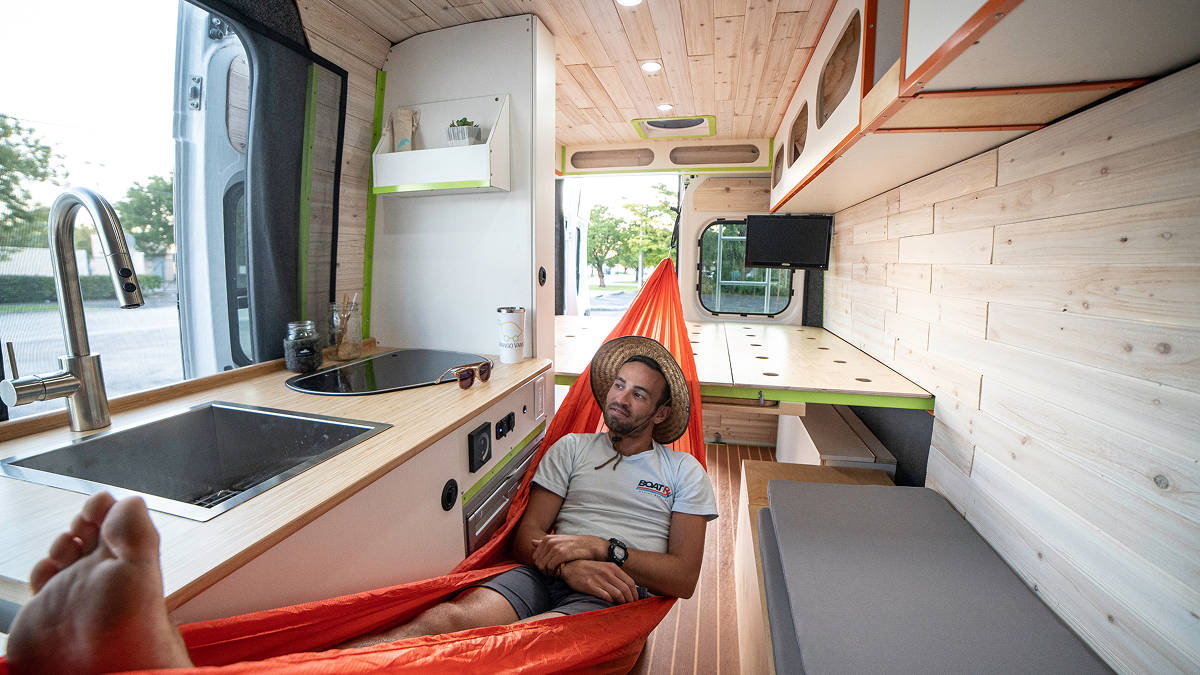
Remote work in vans has moved well past the social media fantasy stage. Thousands of professionals work full time from converted vans while traveling. The lifestyle is achievable. What most people get wrong is treating it as a gear problem rather than a planning problem.
Buying the right equipment matters less than understanding your work requirements before the build begins. Power, internet, and workspace ergonomics separate a functional mobile office from a van that gets abandoned partway through year one.
Can You Work Remotely From a Van?
Yes, and the range of professions doing it is wider than most people expect. Software developers, designers, writers, consultants, and digital marketers all do it. The common thread is not the job title. It is whether the work requires a stable internet, a usable workspace, and predictable power.
The practical requirements are straightforward. You need reliable internet that holds through a client call. A battery system large enough for a full workday. A workspace where you can sit upright and focus. The van platform matters too because a van that spends weeks in a mechanic's bay is not a mobile office.

The Three Foundations of a Working Van Office
Internet Connectivity
Internet is the most common reason remote work in vans fails. Cellular data is the baseline. A dual-carrier hotspot covers gaps when one network loses signal. A cell signal booster extends coverage in areas where the signal is weak but present.
Starlink fills the gap for genuinely remote locations where cellular coverage is thin or absent. The flat dish mounts to the roof and performs well in most conditions. The tradeoff is power draw and cost. For van workers who spend time in rural areas, it is the most reliable option available.
Running multiple connectivity options and knowing when to switch between them reduces the number of dropped calls significantly. Planning routes and workdays around connectivity is a habit that becomes second nature over time.
Power
Remote workers need more battery capacity than recreational van users. A fridge, laptop, monitor, lighting, and phone chargers draw meaningful power through a full workday. Add a cell booster and Starlink and the daily draw climbs further.
The benchmark for a full-time remote worker is 200 to 300 amp-hours of lithium with 400 watts or more of solar. More for video editors. Less for writers on a laptop.
Insulation and ventilation also affect power consumption. A poorly insulated van runs heating or cooling harder, reducing the power available for work. These decisions are made at build time.
Workspace Design
Ergonomics become a real problem after several months of daily use in a van. A laptop propped on a bench seat works for a weekend. It creates neck and back problems over a year of full-time use.
A desk at the right height and a chair with back support matter. So does a monitor at eye level. They make a real difference after months of daily use. They are not comforts. They are functional requirements. External lighting reduces eye strain during video calls and evening work sessions. A curtain between the cab and the workspace helps with focus and improves the background for video calls.
Common Challenges of Working From a Van
The frustrations of remote work on the road are well-documented by people who have done it long-term. Internet reliability is the most consistent complaint. Power shortages during consecutive cloudy days are second.
The work-life boundary issue is underestimated. A van serving as bedroom, kitchen, and office requires deliberate structure to stop work from bleeding into every waking hour. Starting and finishing at fixed times, even without a commute, becomes important faster than most people expect.
Each challenge has a practical solution. A larger battery bank manages cloudy day shortfalls. A dedicated workspace section separates work from rest. A clear daily schedule handles the boundary problem. None of these require additional equipment. They require planning.
Why Planning Matters More Than Equipment.
A software developer and a video editor require very different van builds. The developer may work from a laptop with moderate power needs. The editor needs high storage throughput, a large monitor, and a battery bank that handles overnight render sessions.
Starting with the equipment list before assessing the work requirements is the most common planning mistake. Understanding the real cost of a van build means accounting for the electrical system, connectivity hardware, and workspace furniture alongside the conversion costs.
A van wired for 200 amp-hours that later needs 300 requires rewiring. A roof with no space for additional solar panels cannot expand. These constraints are set during the build.
DIY vs Professional Build for Remote Work
| Factor | DIY build | Professional conversion |
|---|---|---|
| Upfront cost | Lower | Higher |
| Electrical design | Self-planned | Professionally integrated |
| Risk of mistakes | Higher | Lower |
| Reliability | Variable | Built for daily use |
A DIY build is a reasonable choice for people with time, electrical knowledge, and tolerance for troubleshooting. When the van is also the primary income platform, the calculus changes. A van with an undersized battery or a wiring fault is not an inconvenience. It is a work stoppage.
A professionally designed conversion integrates electrical, connectivity, and workspace systems from the beginning rather than as retrofits. For remote workers who depend on the van for income, that reliability matters.
What to Consider Before Your Van Build
Before committing to a build plan, these questions shape what the van actually needs to do.
What type of work do you do, and what is your daily power draw? How critical is uninterrupted internet, and how remote do you plan to travel? Do you need a fixed desk and monitor, or will a laptop and a stable surface be enough? What climate will you mostly work in, and how will that affect heating and cooling load?
The answers determine the electrical system, roof layout, workspace design, and connectivity setup. Equipment decisions follow from there.
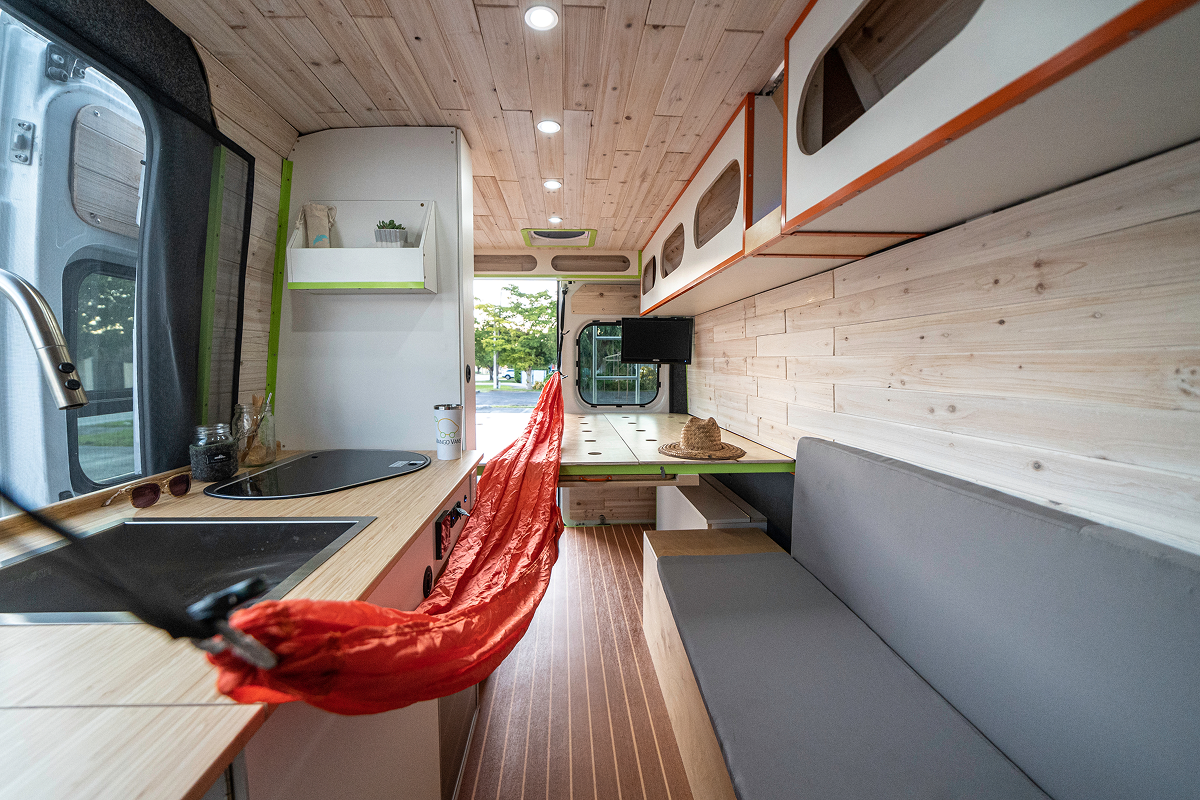
Remote work in vans is practical when the build is planned around the work rather than around the van. Mango Vans builds custom Sprinter, Transit, and ProMaster conversions out of South Florida, including builds for full-time remote workers. The completed builds gallery shows how electrical, connectivity, and workspace systems come together in finished conversions.
Frequently Asked Questions
Can you work remotely from a van full-time?
Yes. Thousands of professionals do it across a range of industries. You need reliable internet, enough battery capacity for a full workday, and a workspace that holds up to daily use.
What internet connection works best for remote work in vans?
Most van workers combine a cellular hotspot with a cell signal booster for daily use. Starlink adds reliable coverage in remote locations where cellular is weak.
How much power do I need to work from a van?
It depends on the work. Most full-time remote workers need 200 to 300 amp-hours of lithium capacity and 400 watts or more of solar. Power-heavy workloads like video editing need more.
Is Starlink worth the cost for van life remote work?
For anyone working regularly in rural or remote areas, yes. The cost and power draw are real, but the reliability advantage over cellular alone is significant.
What jobs work well with remote work in vans?
Software development, design, writing, consulting, digital marketing, and many customer support roles. Any work that runs through a laptop and does not need a fixed location transfers well.
Can I take video calls professionally from a van?
Yes. A dedicated workspace, stable internet, and decent lighting make van-based calls indistinguishable from a home office for most clients.
Is a DIY van conversion suitable for remote work?
It can be, but reliability matters when the van is also the income platform. Electrical mistakes in a DIY build affect workdays, not just comfort.
What are the biggest challenges of remote work in vans?
Internet reliability and power shortages in cloudy weather top the list. Limited space and a blurred boundary between work and rest follow closely.
How do you set up a comfortable workspace in a van?
A fixed desk at the right height, a chair with lumbar support, a monitor at eye level, and adequate lighting. These basics matter more over months than any equipment upgrade.
Why choose a professional van conversion for remote work?
Professional builders design power, workspace, and connectivity as integrated systems. For people who depend on the van for income, that integration reduces the risk of build-related work stoppages.