How to Master Remote Work Van Life: Complete Setup Guide

Remote work van life has transformed from a niche lifestyle into a mainstream movement. As companies embrace permanent remote work policies, professionals are discovering they can work from anywhere with the right setup.
Working remotely from a van offers location freedom while maintaining career stability, but success requires reliable internet, a functional workspace, and smart planning. This guide covers everything you need to know about how custom van builders can create an effective camper van for remote work.
Why Remote Work Van Life Works for Today's Professionals
The shift to permanent remote work has created unprecedented opportunities for location independence. Companies that once required office attendance now support employees working from various locations, opening the door for remote workers to embrace van life without changing careers.
Remote work van life offers significant cost savings compared to traditional housing in expensive markets. Monthly van expenses typically run lower than urban rent payments, allowing you to pay down debt, increase savings, or enjoy more financial flexibility.
Geographic freedom lets you follow ideal weather, position yourself near outdoor recreation, or stay close to family across different regions. You maintain a steady income and career advancement while enjoying location flexibility that fixed housing cannot match.
Remote work van conversions differ from mobile business vans. Business owners need customer-facing features and inventory storage. Remote workers require reliable connectivity, ergonomic workstations, and professional video call capabilities.
Internet Connectivity: Your Lifeline for Remote Work

Reliable internet stands as the foundation of remote work van life. Your employment depends on consistent high-speed access for video calls, file transfers, and real-time collaboration.
Connectivity Requirements
You need upload speeds of at least 5 Mbps for video calls and download speeds of 25 Mbps or higher for most professional applications. The latency under 50ms provides a smooth experience for video conferencing.
Cellular Solutions
Cellular hotspot plans from major carriers form the backbone of most remote work connectivity. Verizon offers the most extensive rural coverage. T-Mobile provides strong urban coverage with competitive unlimited plans. AT&T delivers reliable coverage with business-focused options. Budget $100 to $200 monthly for robust plans supporting full-time remote work.
Cellular signal boosters like WeBoost amplify weak signals in rural locations. These systems cost $400 to $700 but prove essential for consistent connectivity across diverse locations.
Starlink Satellite
Starlink Roam provides high-speed connectivity in previously impossible locations. Monthly costs run $150 to $200 with equipment costs around $600. Power consumption averages 50-75 watts, requiring substantial battery capacity.
Build Redundancy
Most successful remote workers maintain a primary cellular plan, a backup from a different carrier, and either Starlink or multiple hotspot devices. This multi-carrier approach ensures you can always connect for critical work.
Mobile Office Setup Requirements
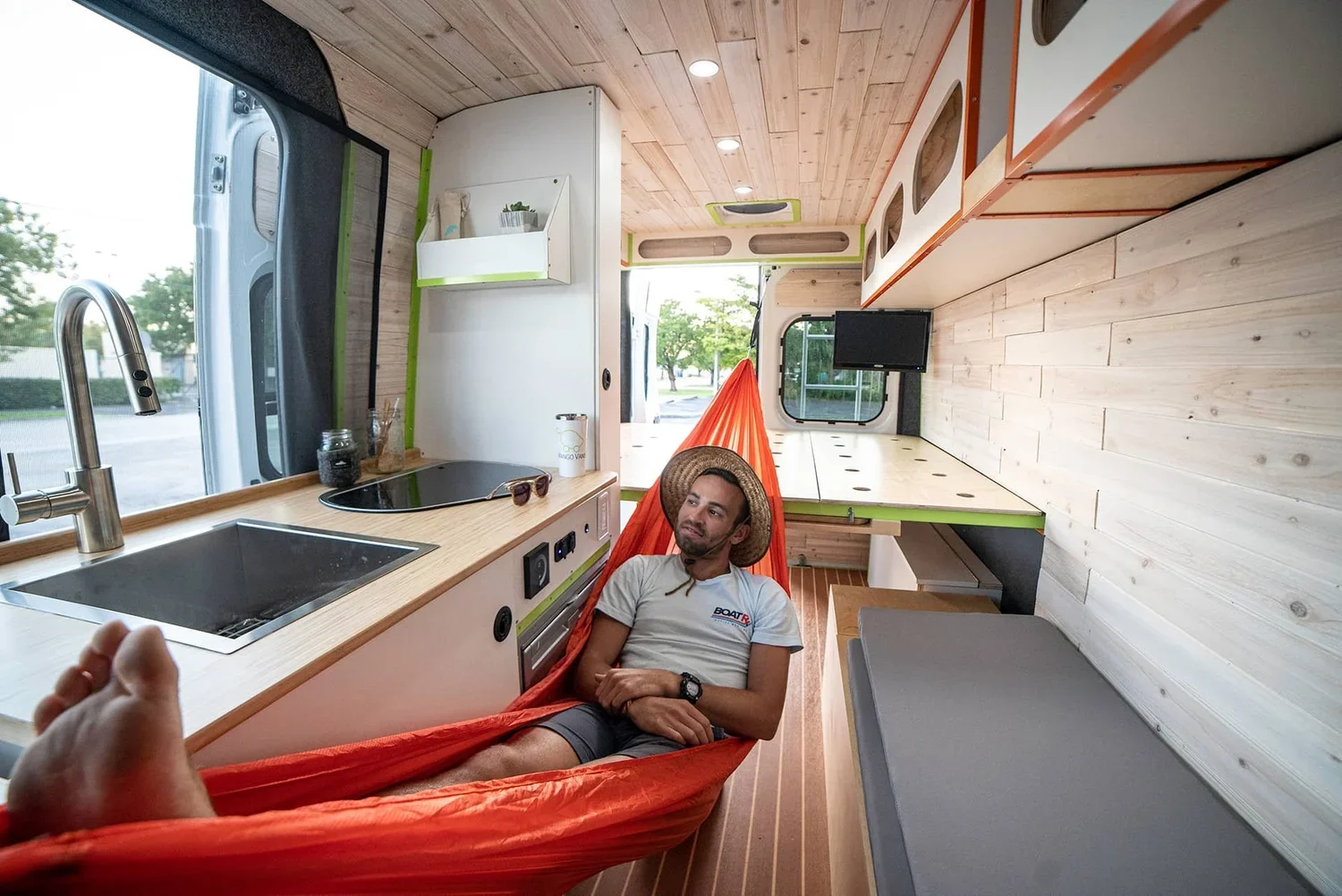
Creating an effective workspace requires thoughtful design balancing ergonomics, functionality, and space efficiency.
Workstation Design
Proper desk height of 28-30 inches prevents strain during long sessions. Your workspace should position screens at eye level to prevent neck fatigue. Single 24-inch monitors provide screen real estate while consuming minimal power. VESA mounting arms keep monitors stable during travel.
Quality seating matters for 8-hour workdays. Most remote workers use swivel captain's chairs or custom benches with ergonomic cushions. Standing desk options help break up sitting periods through flip-up surfaces or adjustable mechanisms.
Technology Essentials
External webcams deliver better video quality than built-in laptop cameras. Ring lights or LED panels improve lighting for professional appearance. Noise-canceling headphones with quality microphones ensure clear communication in varying acoustic environments.
Professional backgrounds matter. Simple curtains, clean walls, or mobile partitions create appropriate backdrops whether parked at a beach or parking lot.
Power Management
A typical 8-hour workday consumes 400-800 watt-hours of battery capacity for work equipment. Battery banks should provide at least 400Ah of lithium capacity for reliable remote work van life. Solar panels of 400-800 watts allow daily recharging in good conditions. Pure sine wave inverters of 2000 watts handle multiple devices simultaneously.
Creating Work Boundaries in Your Van

Separating work space from living space presents challenges when both occupy the same vehicle. Mental boundaries matter as much as physical ones.
Establish consistent work hours to create structure. Starting and ending at defined times triggers professional mindset shifts and protects personal time. Dedicate specific areas for work only. If space requires multi-purpose surfaces, pack away work materials completely at day's end.
Create commute rituals like morning walks or coffee preparation to signal workday starts. Evening routines like closing your laptop and tidying your workspace mark clean breaks between professional and personal time.
Best Locations for Working Remotely from a Van

Strategic location selection directly impacts connectivity, productivity, and quality of life.
Urban Options
Library parking lots provide free WiFi and quiet environments. Coworking spaces offer professional settings and networking for $100 to $300 monthly. Coffee shops serve as backup workspaces. Gym memberships provide showers, bathrooms, and WiFi for $10 to $50 monthly.
Rural and Public Land
Bureau of Land Management land allows free dispersed camping for up to 14 days. Cell coverage varies dramatically, so research specific locations through apps like FreeRoam before committing to remote spots. National Forest camping offers similar benefits. Private campgrounds with WiFi cost $400 to $800 monthly and include full hookups.
Selection Criteria
Research cell coverage as the primary factor. Use coverage maps combined with user data to predict connectivity. Park within short drives of libraries or coffee shops for backup options. Consider weather, safety, and legal overnight parking regulations when choosing locations.
Handling Employer Requirements
Meeting employer expectations while living in a van requires proactive communication and attention to technical requirements.
VPN requirements protect company data. Ensure your VPN works reliably on mobile internet. Keep software updated, use strong passwords, and enable two-factor authentication. Avoid public WiFi for sensitive work unless using VPN.
Establish a permanent address through mail forwarding services for HR purposes and equipment shipping. Communicate clearly about time zones when your location changes. Test video call setup from different locations to ensure consistent quality.
Prove reliability through consistent performance. Meet deadlines, maintain communication, and deliver quality work. Many employers care more about results than location once you establish trust.
Tax Implications for Remote Workers
Remote workers in vans face different tax situations than mobile business owners. Establish domicile in a specific state for tax purposes. Popular van life states include South Dakota, Texas, and Florida due to favorable tax treatment.
Your employer reports income to your state of residence regardless of where you work. Track any travel to company offices or client sites for potential deductions. Consult a tax professional as your situation grows complex. Tax laws change regularly and professional advice often pays for itself.
Productivity Tips for Van Remote Work
Morning routines create consistency. Wake at regular times, complete personal preparation before work, and set up your workspace intentionally. Schedule deep focus work during peak energy hours. Take breaks outside the van to prevent cabin fever.
Combat isolation through regular video calls with friends and family. Seek coworking spaces for occasional scenery changes. Join communities for remote workers or van lifers. Maintain high work quality standards to prove reliability and protect employment. Use project management tools to stay organized when environments constantly change.
Essential Van Conversion Features
Converting a van for remote work requires different priorities than adventure builds.
Must-Have Components
Dedicated desk area with stable surface and ergonomic positioning for 8-hour days. Lithium battery banks of 400Ah or more for reliable all-day power. Solar panels in the 400-800 watt range for off-grid operation. Shore power capability for backup charging.
Climate control maintains comfort and protects equipment. Diesel heaters work for winter locations. Air conditioning becomes essential for summer work in hot regions. Proper lighting creates a professional video call appearance. Privacy solutions like curtains or screens prevent unwanted backgrounds.
Storage for equipment keeps expensive devices protected and accessible. Padded compartments for laptops, organized cable storage, and secure mounting during travel protect professional tools.
Making Remote Work Van Life Reality
Transitioning to remote work van life requires careful planning and quality execution. Professional conversions ensure reliable systems and thoughtful design that perform year after year.
Mango Vans creates custom conversions specifically for remote workers. We prioritize robust electrical systems, ergonomic workspaces, and reliable climate control. Our team understands both technical requirements and lifestyle considerations that make working remotely from a van successful.
Complete conversions typically require 8-12 weeks from design to delivery. Investment ranges from $50,000 to $100,000, depending on the platform and specifications. This includes quality materials, professional installation, and warranty support.
Contact Mango Vans to discuss your remote work van life plans. Our team guides you through vehicle selection, system planning, and design decisions to create a mobile office supporting your career and lifestyle needs.